
How to use my store credits?Updated 11 hours ago
To use your Angel Ruche store credit, please sign in to your account on our website before checking out.
During checkout, your available store credit should appear under Payments, where you can choose to apply it to your order.
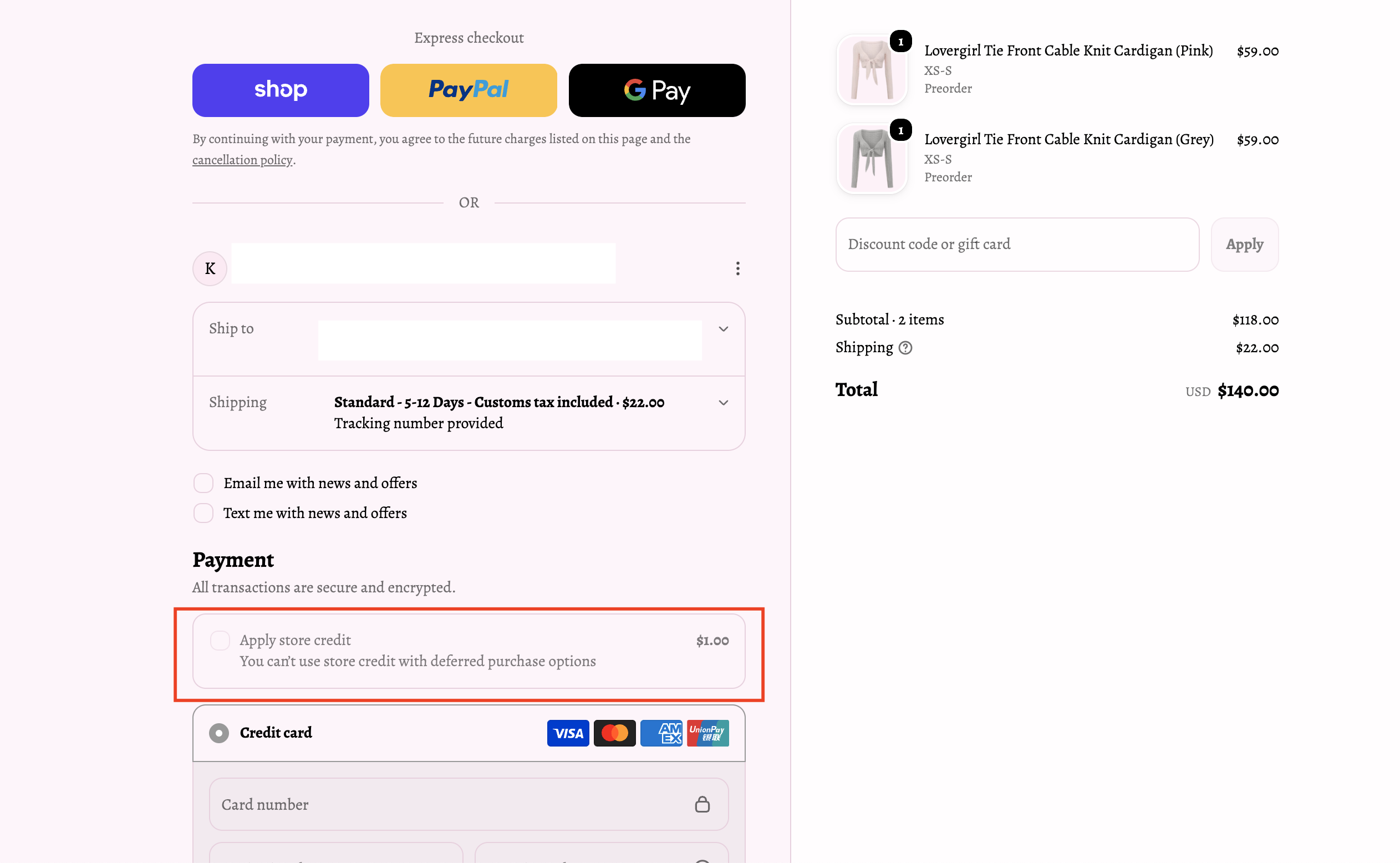
If you don’t see your store credit, this may be because there is currently no credits available on your account. If you’re certain you have available store credit, please try the following:
Refresh the checkout page.
Return to our Home page and restart the checkout process.
Clear your browser’s cookies and cache, then try again.
If you’re still unable to access or use your store credit after trying these steps, please contact us and we’ll be happy to assist you.